100 Days of Swift
This series follows one developer's journey learning Swift over 100 days from the basics to building real things. No shortcuts,no AI and no skipping ahead.
Day 1

Skipping the Basics
Most people starting with a new language follow the same path - hello world, variables, loops, repeat until bored. There's nothing wrong with that. It works. But when Apple ships a free, structured course specifically for SwiftUI, built and maintained by the people who made the language, it feels wrong to ignore it.
Day 1 didn't start with a blank file. It started with Apple's SwiftUI course - their official guided path through the framework, complete with Xcode projects, live previews, and a progression that actually makes sense.
How It Went
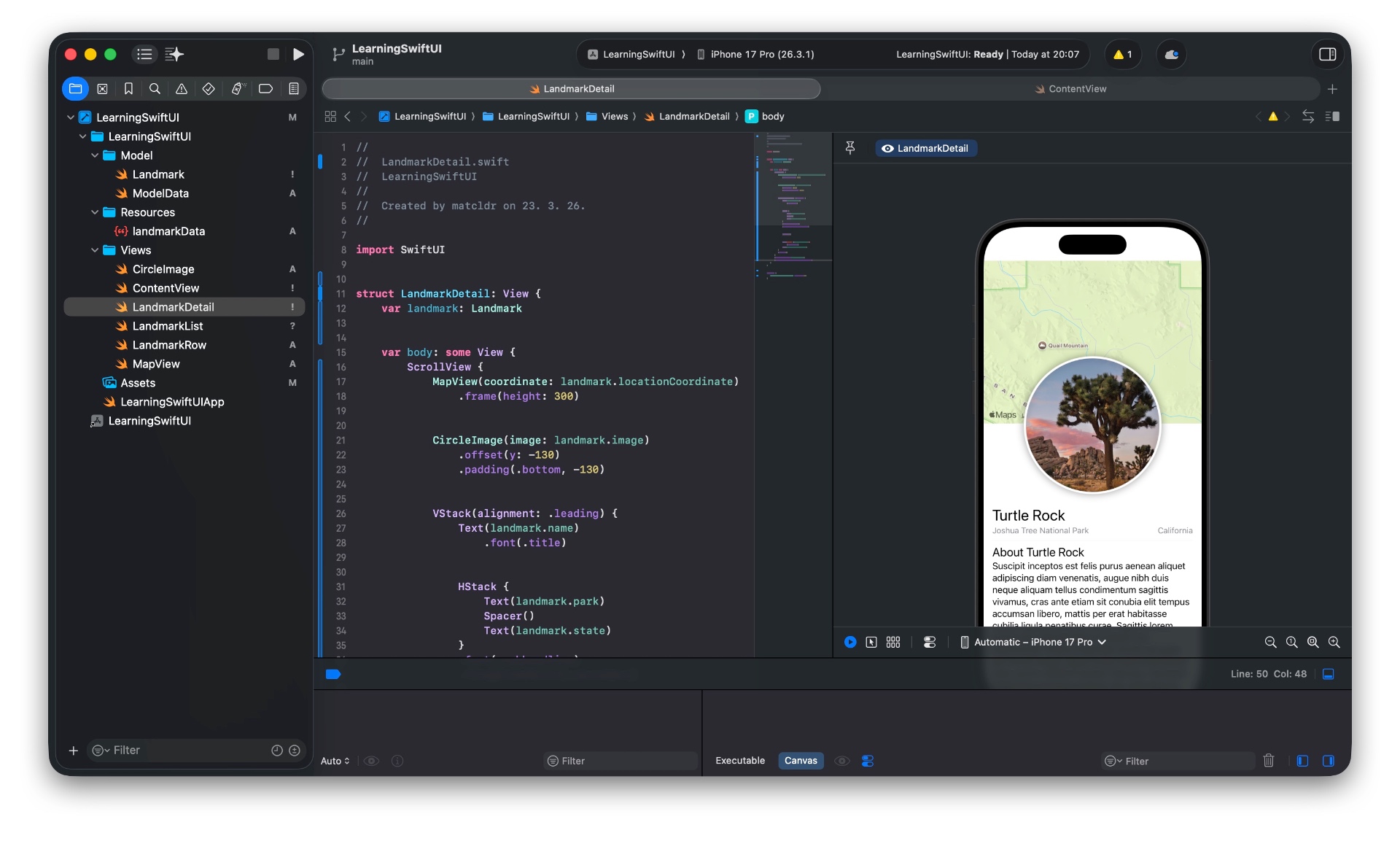
Okay - first person from here. Honestly? I went in expecting it to feel dry. Official documentation tends to do that. Instead, the Apple tutorial is surprisingly well structured. You're not just reading - you're building something from the first few minutes. The Landmarks app they walk you through is simple enough to follow but complex enough to actually show you how SwiftUI thinks.
What stood out immediately was the declarative style. Coming from a JVM background where you're used to setting up views imperatively, the idea of just describing what the UI should look like - and letting the framework figure out the rest - takes some mental rewiring. It's not hard, just different. Like switching from telling someone how to cook the meal versus just describing what you want on the plate.
The @State property wrapper clicked fairly quickly. What didn't click as fast was understanding why SwiftUI needs it - why you can't just mutate a regular variable and have the view respond. That's something I'm going to dig into tomorrow, because right now it's working without me fully understanding the machinery behind it.
Progress Screenshot
What Clicked / What Didn't
Clicked:
- The declarative UI model - describing layout with structs feels natural once you stop fighting it
VStack,HStack,ZStack- the composability is clean- Live Preview in Xcode is genuinely useful, not just a gimmick
Didn't click yet:
- The full
@State/@Bindingstory - I get the surface, not the depth - When to use
varvsletin view structs (it keeps coming up and I keep second-guessing it)
Difficulty
3 / 10 - Light day by design. The Apple course is well-paced and the Xcode tooling does a lot of hand-holding. That's not a complaint. Day 1 is supposed to be accessible - the point is to build momentum, not to immediately hit a wall.
Interested in following along or just want to talk dev? Join us on Discord - we'd love to have you.